Construction software
Why use Woub alongside your existing residential property file software?
The buyer has confirmed a different kitchen layout. The new drawing is in the property file, but the electrician is still working with the old socket positions. The buyer's choice is recorded; handover to site is not yet complete. Separate calls and messages can create confusion between those two moments.

By: Floris Meulensteen

Direct answer
Use residential property file software for buyers' choices, confirmations and property information. Woub complements this when daily coordination between the buyer liaison coordinator, construction project coordinator, site manager and subcontractors uses separate channels. Discuss execution within the project, refer to the right plot number and current choice, and follow up specific actions. Have authorised employees process changes in the property file and administration system. If that coordination already works well in your existing portal, an extra communication channel for the same process is unnecessary.
What does home dossier software do?
Home dossier software organises information around an individual home and its buyer. This includes drawings, options lists, additional and omitted works, messages and confirmations. The processes included differ by package and setup. Some solutions also support sales, handover and aftercare.
A home dossier is therefore more than a digital folder. It can show which option was offered, which response is still missing and what the buyer confirmed. This gives the buyer liaison coordinator and project team a basis for preparing the work.
A confirmed choice does not automatically answer every construction question. Does the installer have the right drawing? Does the chosen option fit work already carried out? Who calls the supplier about the revised materials? If this coordination takes place outside the portal, Woub helps keep conversations and follow-up actions with the project. The official choice stays in the home dossier.
When should you choose Volgjewoning, Ziggu, Hoomctrl or HomeDNA?
Choose based on the workflow you need: buyer communication, decision-making, processing choices or alignment with existing administration. Have a supplier demonstrate one of your own situations, from a changed preference through to handover to the subcontractor. The following differences guide that conversation; they are not a ranking.
Volgjewoning: coordination outside the central home dossier
Volgjewoning centralises information, documentation and communication from initial exploration to aftercare. Buyer choices and collaboration with product suppliers may also form part of the setup. Do not use it solely as an archive while recreating the same buyer communication elsewhere.
Woub adds complementary value, for example, when the site manager discovers a deviation that must first be resolved with several specialist trades. They share the situation within the project, discuss it with the installer and have the construction project coordinator assess the consequences. A task to check an altered connection stays with that conversation. The buyer liaison coordinator processes any new choice or confirmation in Volgjewoning. This keeps one recognisable route for the buyer.
Ziggu: complementary site conversations alongside existing workflows
Ziggu itself offers conversations, internal notes, digital decisions, tasks and workflows. Clients can view and approve options. A need for a task list or internal coordination alone is therefore not a convincing reason to add Woub.
Woub may suit the situation where the site team already works through Woub and technical phone conversations would otherwise remain outside the project information. For example, the site manager and installer discuss whether an approved kitchen change is still feasible. With supported calling through Woub, summaries and identified actions remain available. The person responsible feeds the outcome back into the existing Ziggu process. If the same people and actions already work well in Ziggu, keep follow-up there.
Hoomctrl / HomeCTRL: discussions alongside the connection with 4PS Construct
The brief names Hoomctrl; 4PS presents the portal as HomeCTRL. It supports buyer liaison from sale to aftercare, including home preferences, agreements and a digital dossier. The supplier describes an integration with 4PS Construct.
Woub mainly adds value here to conversations around a construction problem. For example, the subcontractor calls to report that the chosen connection clashes with pipework already installed. The project team discusses the solution and follows up actions: have an alternative checked, have a drawing revised and inform the team. The authorised employee processes the confirmed outcome in the configured HomeCTRL and 4PS processes. The existing connection with 4PS does not mean a Woub task automatically updates that data.
HomeDNA: conversations behind the final buyer options list
ECI HomeDNA supports digital orders and approvals. The supplier describes final choices being processed into option matrices, meter cupboard lists and financial reports. Site staff can also consult home-specific information.
Woub’s complementary value lies, for example, in coordination when an ordered component proves unavailable. The construction project coordinator, supplier and site manager discuss the alternative, available lead time and what the buyer still needs to confirm. Woub keeps that discussion and follow-up actions with the project. The buyer liaison coordinator has the choice confirmed and processed in HomeDNA; the site manager then checks that the team is working with updated information. This prevents a provisional alternative in a conversation quietly becoming the final order.
Pylon, Luxs and Bryder have a different starting point
The software landscape also includes products with broader or different functions around home and project information. Do not treat them as identical buyer portals.
Pylon focuses on communication with surrounding communities and participation. Alongside a resident’s report, Woub can help follow up internal discussions about access and deliveries, for example; the person responsible posts the appropriate feedback in Pylon.
Luxs focuses on property data for owners and managers, among others. For a deviation at a home, Woub can support discussions with the contractor carrying out the work, after which the data manager processes a confirmed correction in the property workflow.
Bryder focuses on property management with building information and digital twins. Woub can keep conversations and actions around a maintenance question together; the designated employee oversees processing of relevant new building information. These are proposed workflows alongside these packages, rather than demonstrated Woub integrations.
How do you separate buyer choices from construction agreements?
Distinguish between what the buyer has chosen, what the team still needs to investigate and what the team may carry out. Use the same project, plot number and change reference in every handover. A message saying only ‘the kitchen has changed’ is insufficient on a project with twenty different homes.
The buyer liaison coordinator oversees the confirmed choice and feedback to the buyer. The construction project coordinator assesses technical consequences and arranges the correct construction information. The site manager coordinates work with the specialist trades involved. One person may hold several roles, but responsibilities must remain identifiable.
In Woub, refer to the authoritative document in the agreed dossier or document environment. If a photo or drawing is needed for discussion, state the plot number, version and status. Do not create a second complete options list alongside the official list. Share with the parties involved only the information they need for their work, under the configured access and project agreements.
Example: a changed kitchen at plot 18
This is an illustrative example, rather than a measured customer result. The buyer of plot 18 wants to move a double socket because of a different kitchen layout. For this example, use reference B18-K02. The electrician sees that the conduits are already in the old position.
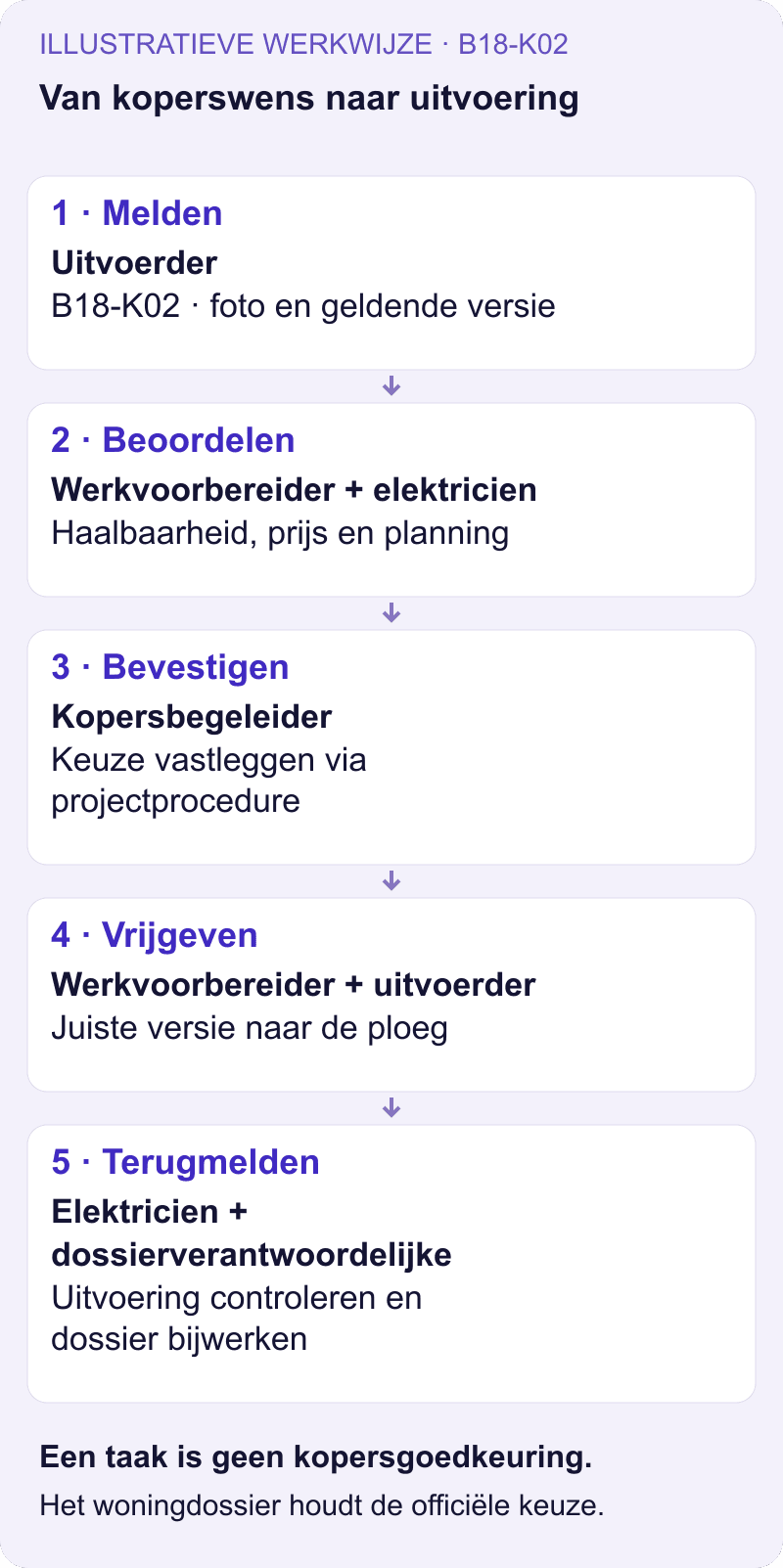
The site manager reports what they find in the project chat, with a photo and reference to B18-K02. The construction project coordinator discusses with the electrician what is technically possible and its consequences. While investigation is still needed, the action is ‘assess feasibility’, rather than ‘move socket’.
After confirmation under the project procedure, the buyer liaison coordinator has the authoritative choice and associated documents updated. The construction project coordinator releases the correct version for construction. The site manager asks the electrician to confirm they can work with that version and follows up the work.
On completion, the electrician reports what was carried out. A deviation returns to the person responsible for assessment; a ticked-off task does not independently update the home dossier. The same plot number and reference thus connect the choice, discussion and feedback.
How do you communicate additional works during construction?
For an additional preference, first have the difference from the existing brief assessed. Discuss technical feasibility, consequences for the work and any price and programme implications. The designated person responsible follows the agreed approval procedure with the buyer and has the official record updated.
Use Woub to make the work behind that assessment specific. The installer must assess an alteration, the construction project coordinator needs a price and the buyer liaison coordinator must feed back a proposal. Give each action an owner and deadline. An internal completion notification, a confirmed buyer choice and financial processing are different steps.
If a preference reaches a tradesperson directly, they should not make commitments beyond their authority. They pass it to the buyer liaison coordinator responsible and report within the project which work is affected. For an urgent matter, they make direct contact so the site manager can establish what can responsibly proceed at that time. Also read how to document additional and omitted works and communicate changes.
What the CIA Bouwbedrijf case shows
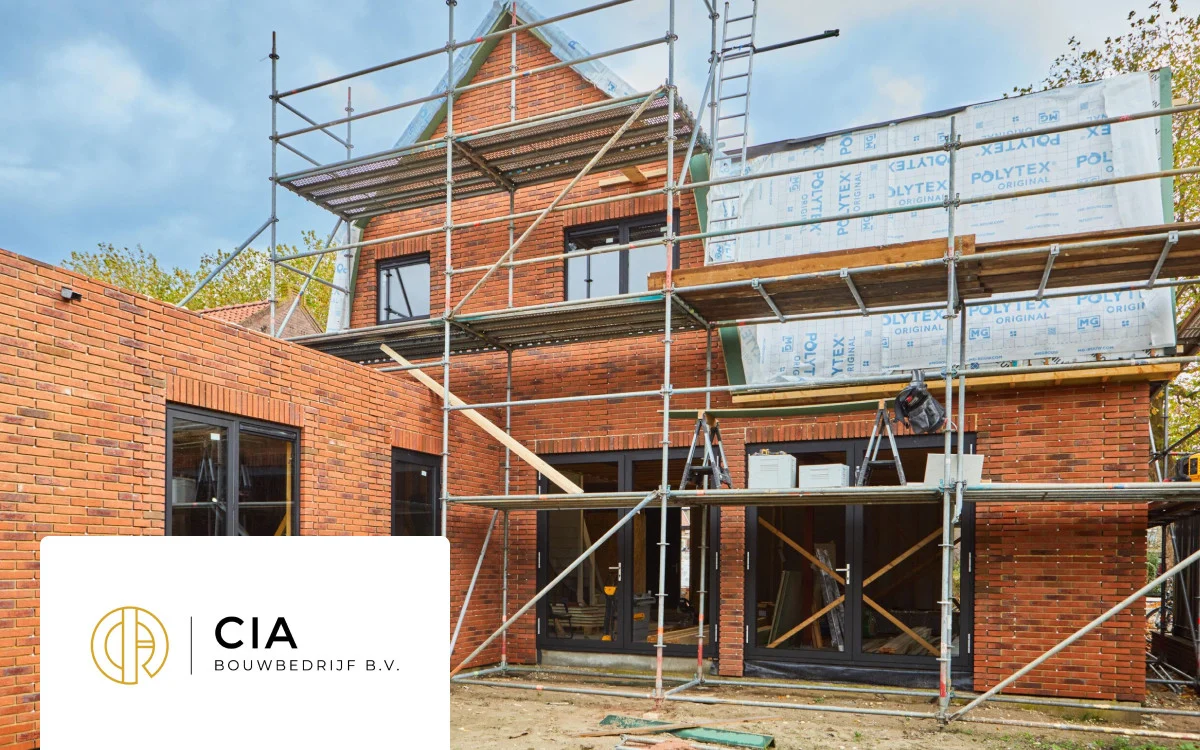
In the public CIA Bouwbedrijf case Bradley and Anne describe client changes not always reaching subcontractors properly. The team started projects in Woub, bringing communication and tasks together. The case describes how this supports coordination between the team, subcontractors and clients.
That practical problem relates to handover of a buyer choice to construction. The case does not prove use of any of the home dossier packages mentioned or a technical integration with them. The relevant lesson is that a change must also reach the people carrying it out.
How does Woub work alongside the home dossier?
Woub supports complementary project communication between the office, site and external parties involved. It does not replace a home dossier, ERP, BIM, estimating, DMS or specialist scheduling. Start with conversations and actions currently lost among separate WhatsApp messages, project email and calls.
With project chat you discuss the deviation, share a photo and turn a message into a task. The tradesperson does not need to maintain a second set of buyer records for daily coordination. Agree where they find the current construction information and who keeps it up to date.
Capturing calls and discussions
Start a supported audio or video call from the project in Woub. Afterwards, the transcript, summary and action items are available; Wouby AI can automatically turn identified agreements into tasks. This helps, for example, to find the phone conversation about B18-K02 and follow up the delivery confirmation still missing.
Capture a construction meeting or buyer options discussion using the function for recording meetings. Wouby AI processes the recording into a transcript, summary and action items. With both approaches, check the status in particular: is something a proposal, does it need assessment or is the work confirmed? Automatic task creation is not buyer approval.
Starting without an integration or duplicate administration
You can first test this workflow without an integration. Keep the official choice in the home dossier and record only complementary coordination and follow-up in Woub. Identify who processes the outcome back into the records. A clear reference prevents searching, but does not synchronise the systems.
Woub has an open API for potential custom integrations. No standard Woub integration with the home dossier products mentioned has been demonstrated for this article. If automation is desired, establish specifically which data is transferred, in which direction, with which permissions and what happens following a correction or failed transfer.
Use Woub for this daily project communication instead of a separate WhatsApp group and any separate task app. This also avoids continually handling the same brief coordination through project email. Let the buyer retain their existing portal route if it works well. Practise with the site team and one subcontractor how to report a deviation and find the confirmed outcome.
Test one real change, from initial notification to completed work and updated records. Then see where follow-up calls or retyping were still needed. If handover already works well in your current package, do not add another channel for the same process.
Start small. Enjoy the peace of mind. Expand only then.
Try free for 14 days and test handover on one project. View the prices and subscription conditions for the users and functions required.
Frequently asked questions
Do buyers need to use Woub alongside their property portal?
Not for the workflow described. Keep buyer communication and confirmations in the existing portal. Use Woub for additional coordination between the people preparing and carrying out the work. The buyer liaison coordinator handles feedback to the portal.
Is a Woub task an approved additional works instruction?
A Woub task records that someone needs to do something. It does not by itself prove an approved additional works instruction. Check whether the task concerns investigation, preparation or execution, and refer to the current confirmation under the project procedure.
Can Woub work alongside Volgjewoning, Ziggu, HomeCTRL or HomeDNA without a connection?
Yes, by organising the processes alongside each other: the property file holds the official buyer choice and Woub supports additional conversations and actions. Agree who processes the outcome back into the source. Without a confirmed connection, that processing does not happen automatically.
This site is protected by reCAPTCHA. Google’s Privacy Policy and Terms of Service apply.





