Project communication
How do you improve communication between office, site and subcontractors?
The client wants the door to open the other way. The construction project coordinator discusses it by phone, the site manager gets a message and the carpenter starts with the old drawing. Everyone received information, but not everyone is working to the same agreement. Good communication between office and site begins with a handover the recipient can understand and confirm.

Publication date: 20-10-2026
By: Floris Meulensteen

Direct answer
Improve communication between office, site and subcontractors by capturing every important change within the right project. Specify the location, current agreement, assignee and time for feedback. Ask the party carrying out the work to confirm what they will do. Woub supports project chat, calling, meetings and task follow-up around that handover. ERP, BIM, DMS and specialist planning retain their own functions. Sending a message is only the start; check whether the decision has reached the site team.
Where is information lost between office and site?
Information is lost in the handover between people: the construction project coordinator has a decision, the site manager knows the implications, and the subcontractor receives only a brief instruction. The connection between the three is often missing.
This also happens when everyone is reachable. A photo without a location requires an extra call. Verbal approval without feedback leaves the next colleague uncertain. And a changed agreement in a personal conversation does not help the crew still working to the old instruction.
In practice: a client change needs to reach the subcontractor
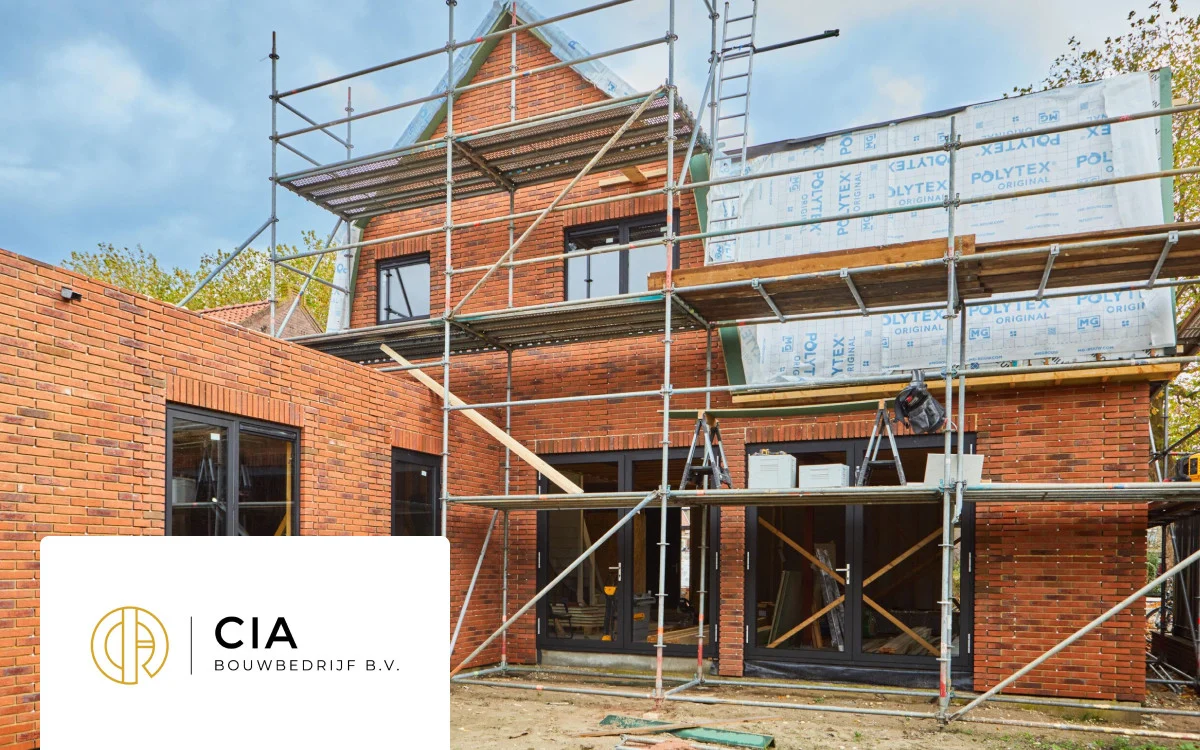
At CIA Bouwbedrijf, client changes did not always reach the right subcontractor. Bradley and Anne describe how they now start projects in Woub and keep conversations, tasks, photos and explanatory documents together there. The case shows why a good client conversation alone is not enough: the person carrying out the change also needs to know what was agreed.
Make three stages visible: reported, decided and handed over. This is a practical working agreement, rather than a separate Woub product status. A question may have been reported while the solution has not yet been decided. A decision may be final while the subcontractor has not yet received it.
For the broader organisation of conversations and agreements, read the explanation of construction project communication. Here, the focus is specifically on the handover between the people preparing, directing and carrying out the work.
How does a construction project coordinator call the site manager directly?
For a question that is difficult to explain, use a conversation from within the relevant project context. By calling in Woub, you can start audio or video. The site manager can show a situation; the construction project coordinator can ask further questions before anyone chooses a solution.
A useful conversation starts with three details: which project, which location and which question. For example: ‘Lindenstraat project, ground floor, door D-04. The client wants a different opening direction. Can you show how much space remains by the wall?’ This is an illustrative example, rather than a customer result.
Finish with the outcome. Is something confirmed, does the drawing need changing first, or is permission still missing? Wouby AI can summarise supported conversations and automatically turn recognised commitments into tasks. Then check the content, person responsible and timing. An automatically created task does not mean technical or financial approval.
Do not assume a regular phone call outside Woub is automatically recorded within the project. If you discuss several projects in one conversation, make sure each outcome reaches the right project.
A site meeting needs a different wrap-up
In a meeting, you often discuss several outstanding items. You can recording meetings; Wouby can support the output. Check the decision and follow-up action for each topic, and share the relevant outcome with people who were absent too. Make suitable arrangements for recording and access beforehand. A transcript alone does not tell the carpenter which instruction now applies.
What information do site managers and tradespeople need?
Site managers and tradespeople need information that lets them continue at the location concerned: what applies, where it applies and what they need to do. Forwarding a full conversation is not always the best handover for this.
For a change, complete this short checklist:
Location and element: project, floor, room and recognisable number.
Outcome: question, proposal or confirmed instruction; also state what remains open.
Source: the current drawing or document revision and where it is managed.
Next step: who does what, by when, and who receives feedback?
From a door change to a confirmed work instruction
In the illustrative door example, the construction project coordinator first checks the implications with the relevant specialist. The authorised person confirms the change. The person responsible for documents processes it in the designated drawing environment. The site manager then shares within the project which door has changed, which revision applies and what the carpenter needs to adjust.
The carpenter then confirms the instruction, for example: ‘D-04 seen in revision C; I will change the opening direction before installation.’ If in doubt, they ask for clarification first. The action is only complete once the agreed work or feedback has been checked.
Woub supports the coordination around this with project chat and tasks from messages. The approved drawing stays in the designated BIM or document process. A copy shared in chat may become outdated; state the source version and check that the recipient can open the source.
This division of roles helps both the construction project coordinator and the site manager: one makes the information actionable, while the other checks whether the crew can proceed with it.
How do you work with subcontractors in the same project context?
Involve a subcontractor in the information and agreements needed for their work. Agree at the start where they can find the current instruction, how they report a deviation and who provides an answer. Have them do this themselves once before relying on it.
De Woub knowledge base on inviting external participants describes participation through an invitation. The pricing page lists free participation for invited external parties. That is different from managing unlimited projects yourself. Check with the actual participant that access suits the collaboration.
Do not ask for a general confirmation such as ‘read’ when the work changes. Have the subcontractor state what the agreement means for their work. ‘New delivery day seen; my crew starts after confirmation from the site manager’ makes a dependency visible that a tick does not explain.
Do you work with a subcontractor on several projects? Always include the project and element in the question. If a conversation does cover different projects, separate the relevant agreements afterwards. A colleague then does not need to search another project for the missing instruction.
How do you keep adoption simple?
Start with one project and one regular handover, such as a change from the office to the site manager and subcontractor. Have each participant ask a question, find the answer and report back on what they are doing with it. That tests the approach through real use.
At Den Haan Renovators, Thomas sat down with employees individually to explain the desktop view and app. The published case also describes a specific process: a painter reports wood rot with a photo, Thomas requests approval, then involves the carpenter in the project. This is a customer experience, rather than a guarantee that implementation happens effortlessly in every team.
Make clear which daily channel changes. For project communication, Woub can replace WhatsApp and any separate task app, and reduce project email. Do not routinely circulate the same instruction in three places. ERP, BIM, estimating, DMS and specialist scheduling retain their own functions; start without an integration if that already lets you test the handover.
After the trial, assess three things: can someone covering for a colleague find the latest agreement, can the subcontractor explain what they need to do, and is someone responsible for every outstanding item? If not, improve the information, access or working agreement first. Adding more projects does not resolve that uncertainty.
Start small. Enjoy the peace of mind. Expand only then. Try free for 14 days with a construction project coordinator, site manager and one subcontractor on a real project.
Frequently asked questions
How do you know whether a change has really been handed over?
Ask the party carrying out the work to confirm which agreement they will implement and what is still missing. Then check the agreed work or feedback. Sending a message alone does not prove that everyone is acting on the same decision.
Can a subcontractor participate in Woub for free?
The Woub pricing page describes free participation for invited external users. Managing projects yourself has different conditions. Before starting, check which participation and access are needed.
Does Woub automatically update the programme or drawing after a conversation?
A conversation or automatically created task is not an automatic change in planning, BIM or ERP. Have the authorised colleague process the confirmed outcome in the designated system and report that the information has been updated.
This site is protected by reCAPTCHA. Google’s Privacy Policy and Terms of Service apply.





